July 13, 2026
REST API, MCP server, and Slack integration
I'm happy to announce Project Echo's own REST API and MCP server.
These additions make connecting Project Echo to external tools and agentic agents very easy and secure. Users have full control over the permissions allowed per API key. Keys can be revoked easily, directly in the UI. The REST API and MCP server pages can be found under "Settings --> API & MCP".
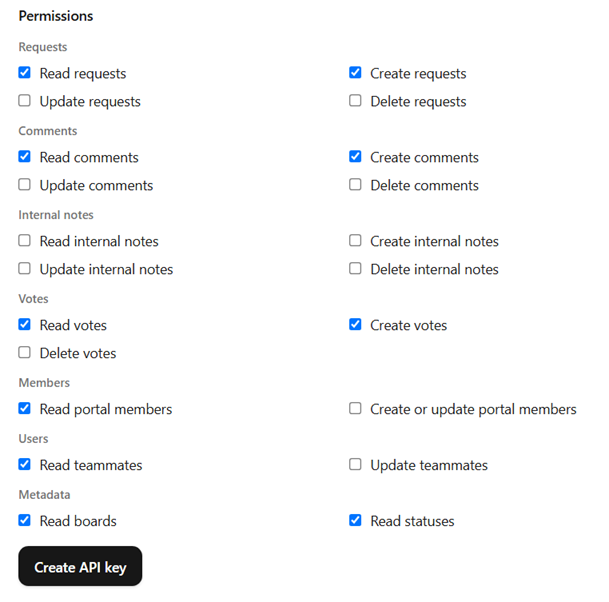
As you can see in the image above, all relevant entities are available through this version of the API.
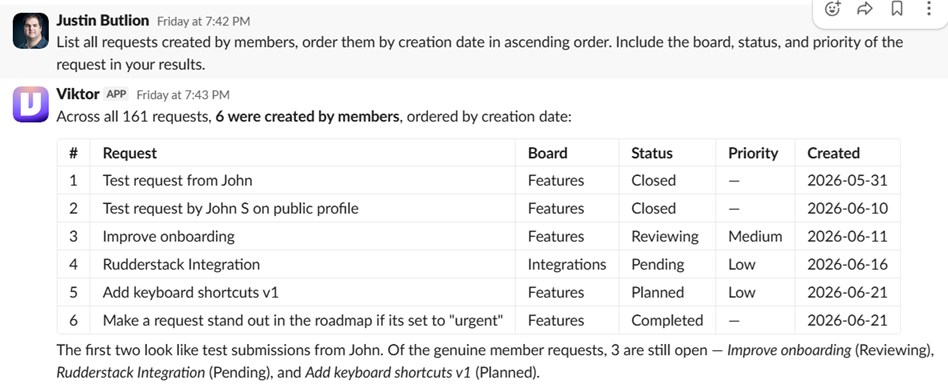
The MCP server is built on top of the REST API so once you create a key, you can share the credentials with your agentic agent (Claude, Cursor, Viktor, etc), and ask it to perform actions on your behalf.
The screenshot below shows an example of a table of requests I requested from Viktor, an agentic agent I work with in Slack.
Slack Integration
Version 1 of our Slack integration is live.
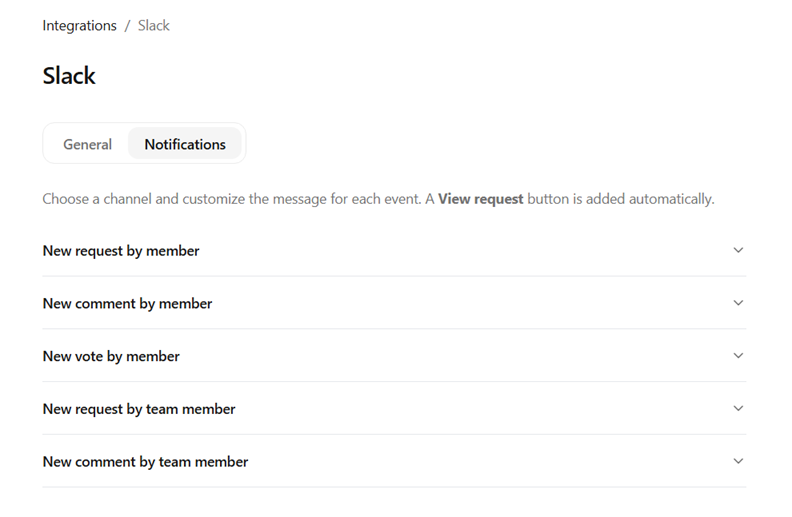
Once you connect Project Echo to your Slack workspace, you can manually set up notifications for different actions that take place in Project Echo. For example, sending a message to a feedback channel whenever a member creates a new request.
You can find the Slack integration at "Settings --> Integrations".
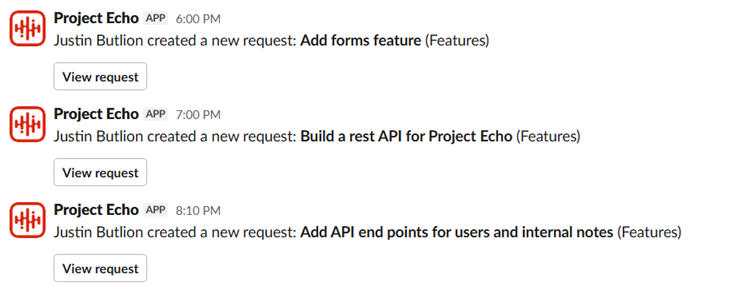
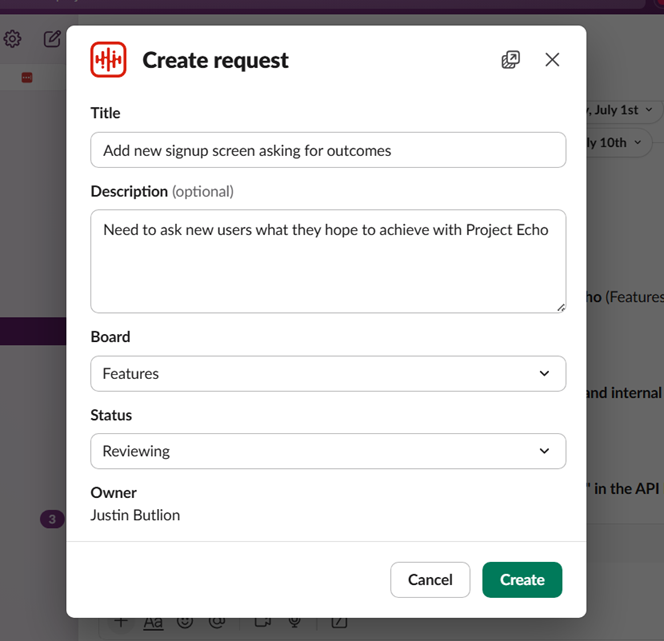
In addition to being able to send messages automatically to Slack when actions take place; you can also create requests directly in Slack via the "Connect to apps" shortcut menu on individual messages.